
TeraBox: 1TB Cloud & AI Space
Flextech Inc.Tools
4.423.80K Reviews
- Version
- 4.23.5
- Installs
- 100.00M
- Age Rating
- Everyone
Screenshots


Our Review of TeraBox: 1TB Cloud & AI Space
 Analysis by Appyee
Ever found yourself running out of storage space on your phone at the worst possible moment? Yeah, me too. That’s where TeraBox: 1TB Cloud & AI Space comes to the rescue. I’ve been diving deep into this app, and let me tell you, it’s like having a massive digital closet where you can stash all those precious memories and important documents without breaking a sweat.
Getting Started with TeraBox
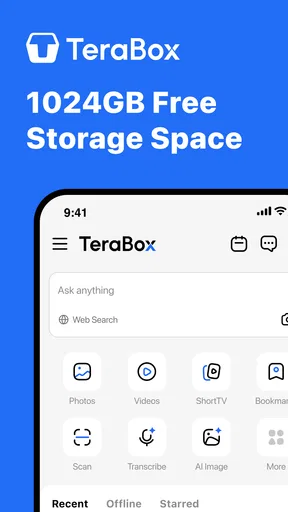
First things first, let’s talk setup. Downloading and installing TeraBox: 1TB Cloud & AI Space is a breeze. Available on both Android and iOS, you can find it in the respective app stores. Once installed, you’re greeted with a clean and intuitive interface that makes navigation a walk in the park.
Setting up your account is straightforward. A few taps, and you’re ready to roll with a whopping 1TB of free cloud storage. Yes, you heard that right—1TB for free! It’s like the app gods have smiled upon us storage-starved souls.
Features That Stand Out
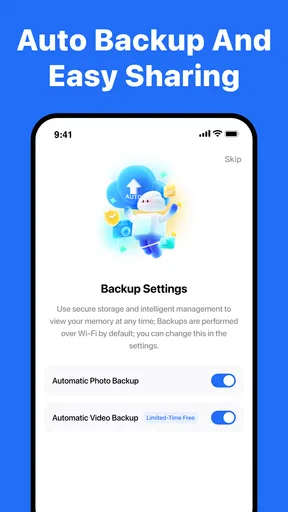
Now, let’s dive into some of the features that make this app a solid choice. The automatic photo backup is a lifesaver. No more worrying about losing those vacation photos if your phone takes an unexpected swim. TeraBox backs them up effortlessly and keeps them safe in the cloud.
Another nifty feature is the file organization. The app uses AI to automatically sort your files into categories like photos, videos, and documents. It’s like having a digital Marie Kondo tidying up your storage space for you. And who doesn’t love a bit of digital decluttering?
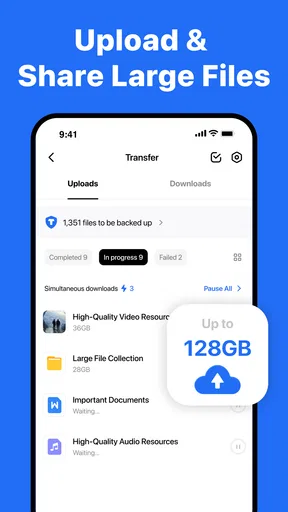
Sharing files is also a breeze. Whether it’s a quick share with a QR code or a link, you can send files to friends and family without a hitch. Plus, the app offers password protection for those files you want to keep extra secure.
User Experience
Let’s talk about the user experience. The app’s design is sleek and user-friendly. Even if you’re not tech-savvy, you’ll find it easy to navigate. The upload and download speeds are impressive too, making file transfers quick and painless.
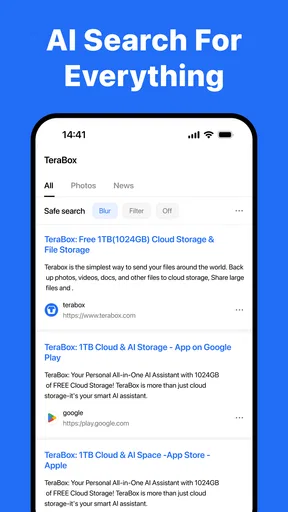
The app includes a handy search function that lets you locate files in a jiffy. Whether you’re hunting for an old document or last year’s birthday photos, the search bar has got your back.
Security and Privacy
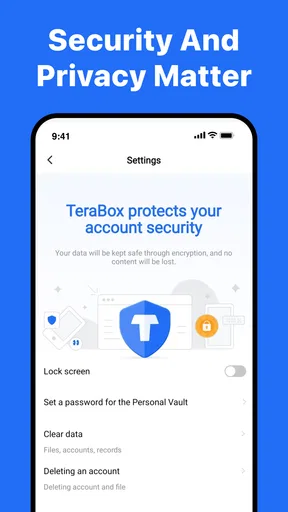
When it comes to storing your personal files, security is key. TeraBox employs robust encryption to keep your data safe from prying eyes. They also provide an option for two-factor authentication, adding an extra layer of security to your account.
Having peace of mind knowing your data is secure is a big plus. And since TeraBox maintains transparency about its security practices, you can trust that your information is in good hands.
Storage Management
One of the standout features is the ability to compress files, which is a boon if you’re trying to save space. The app’s AI-powered compression doesn’t compromise quality, ensuring your files look just as good post-compression.
Additionally, TeraBox allows you to free up space on your device by deleting original files once they’re safely backed up. This is perfect for those of us constantly battling with storage alerts on our phones.
Final Thoughts
All in all, TeraBox: 1TB Cloud & AI Space is a powerhouse app for anyone in need of reliable cloud storage. Its generous storage capacity, user-friendly interface, and robust security features make it a top contender in the cloud storage arena.
Whether you’re a digital hoarder or just need a secure place to stash your files, TeraBox has you covered. Give it a whirl, and you might just find yourself wondering how you ever managed without it. Happy storing!
Verdict
Strengths of TeraBox: 1TB Cloud & AI Space
- Generous 1TB free cloud storage for all users.
- AI-powered organization for easy file management.
- Supports multiple file types, including media.
- Secure encryption for data protection and privacy.
- Seamless integration across Android and iOS devices.
Limitations of TeraBox: 1TB Cloud & AI Space
- Limited offline access to stored files.
- Ads may be intrusive in the free version.
- AI features might require learning curve.
- File upload speed can be inconsistent.
- Premium features locked behind paywall.
Similar Picks in This Category
View All
Google LLC4.0

Gboard - the Google Keyboard
Google LLC4.5

Google Play services
Google LLC4.3

Google Play Store
Google LLC4.9

Files by Google
Google LLC4.5

SHAREit: Transfer, Share Files
Smart Media4U Technology Pte.Ltd.4.3
Frequently Asked Questions
What is TeraBox and how does it work?
TeraBox is a cloud storage application that offers users 1TB of free storage space. It allows you to securely store, manage, and share files such as photos, videos, and documents. The app uses AI technology to help organize your content efficiently, making it easy to access your files from any device with an internet connection.
Is TeraBox safe to use for storing personal files?
Yes, TeraBox employs robust security measures to protect your data. It uses encryption to safeguard your files during transfer and storage. Additionally, the app provides user authentication to ensure that only authorized users can access the stored data, offering peace of mind for personal file storage.
Can I use TeraBox on multiple devices?
Absolutely! TeraBox is designed to be cross-platform, allowing you to access your files on multiple devices, including smartphones, tablets, and computers. Simply log in with your account on any device to manage and share your files seamlessly across different platforms.
Does TeraBox offer any premium features?
Yes, TeraBox offers premium plans that include additional features such as more storage space beyond the free 1TB, enhanced file management options, and increased upload speeds. These premium features are ideal for users who require more robust storage solutions or need to handle large volumes of data.
How does TeraBox’s AI technology improve user experience?
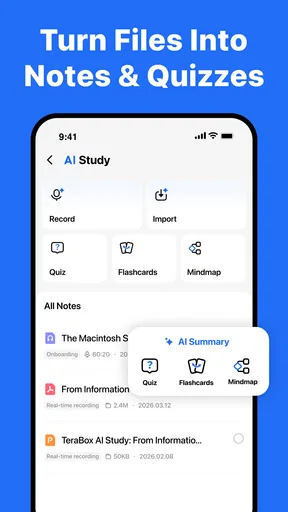
TeraBox leverages AI technology to enhance user experience by automatically organizing your files and suggesting ways to optimize storage. The AI can categorize photos, detect duplicate files, and recommend deletions of unnecessary items, ensuring that your cloud storage remains organized and efficient.
